New users ask the same good questions about reference-driven image generation, because the method is younger than text prompting and its rules are less widely known. This page answers the questions users ask most about Whisk AI image creation — references, consistency, sizes, rights, and disappointing results — in plain language.
Deeper guides stand behind several answers; this page is the index, they are the library. If your question is really a fault — something that worked and stopped — the problems-and-fixes guide in this library is the better door.
Where the honest answer depends on current terms or your jurisdiction, the page says so rather than guessing in print.
References
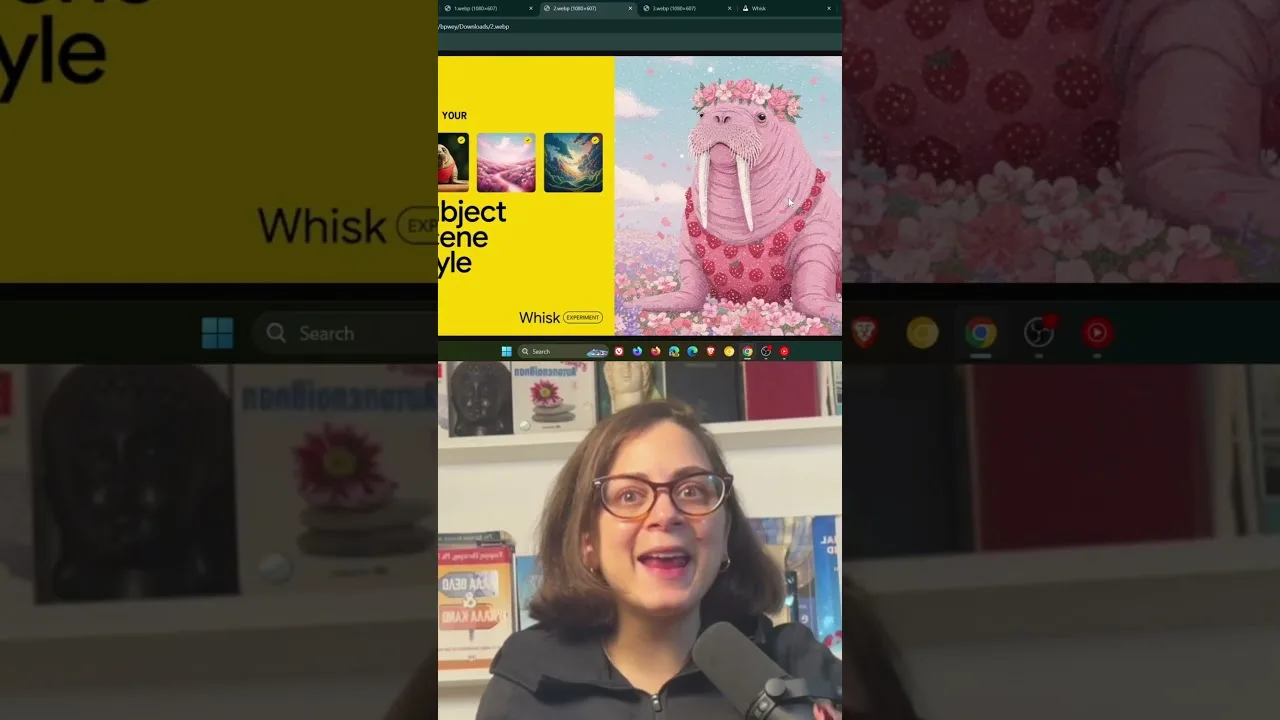
Do I need reference images at all? No — text alone works — but references are the app's reason to exist: they anchor a subject, scene, or style so results stay consistent. What makes a good reference? A clear, well-lit image where the element you want fills the frame and nothing competes with it.
Can I use any image as a reference? Technically most images upload; responsibly, use images you own or have the right to use, especially of people and products. A reference is an ingredient, and ingredients carry their owners with them. The toolset behind references is toured in the core image creation tools in Whisk AI explained.
Consistency and Characters
Why does my character change between images? Because consistency is maintained by discipline, not magic: the same reference, the same style, and a written trait list in every prompt. Change any leg of the tripod and the character drifts.
How do I fix drift mid-project? Return to the character's reference sheet and regenerate the wayward scene from it rather than from the previous scene. Lineage matters: descendants of the reference stay true; descendants of descendants wander. The full method lives in the portrait and character tips for Whisk AI.
Sizes and Quality
What size should I generate? The shape of the destination: tall for stories and wallpapers, landscape for banners and thumbnails, square for listings and feeds. Generate at the destination's ratio rather than cropping later, and check the result at the size it will be seen.
Why do some images look soft? Usually scale: a small subject inside a wide, busy scene receives little detail. Compose closer, simplify the scene, and the same model sharpens immediately. The aspect guide in this library covers shapes and their destinations in full.
Rights and Commercial Use
Can I sell images I create? Generally, generated output is offered for use including commercial work under the service's current terms — but terms change and categories of use differ, so read the current terms before building a business on any output, here or anywhere.
Can I use a real person's likeness commercially? That is a different and stricter question involving the person's rights, quite apart from the app's terms. The safe rule: your own products and your own face, yes; other people's faces and brands, only with permission. Sellers should read the product guide's honesty rules before their first listing. Start creating through the Whisk AI download page once the basics feel clear.
Privacy
What happens to my uploaded references? They are processed by the service to make your images, under the provider's privacy terms, which you should read once with your real use in mind. Only upload material you are comfortable sending, exactly as with any cloud creative tool.
Is my face in a reference used for anything else? Reputable terms confine processing to your requests, but the only version of this answer worth trusting is the current policy document, not a guide's summary of it — including this one. Read it once; it is shorter than this page.
When Results Disappoint
The picture is nothing like my prompt — why? Usually one of three causes: the prompt buried its subject, the references fought each other, or the scene asked for more simultaneous elements than the model composes reliably. Simplify one variable and regenerate; disappointment is diagnostic if you change things one at a time.
How many generations does a good picture take? Professionals quietly average three to six from a prepared recipe, and more when exploring. If your standard is one, your results will look like it. The refinement guide in this library is the skill that closes the gap between your taste and your output.
Most questions about this app reduce to its one big idea: images in, images out, consistency through references. Hold that idea clearly and the details arrange themselves around it.
Keep your own questions in your notebook as they arise. The ones you answer yourself, in your own workflow, become the most valuable page of documentation you own.
When a question of your own is missing here, apply the page's pattern to it: ask what the references are doing, what must stay constant, and what the destination demands. Those three questions classify nearly every puzzle this method of image-making produces, including the ones nobody has written down yet.
Bookmark the deeper guides according to your own recurring questions rather than reading the library straight through. A reference shelf organised by your actual problems beats a curriculum every time, and yours will differ from every other user's — which is exactly what a personal library means.
Ask well, and keep asking.